Z-DATdump5.3
Publisher Description
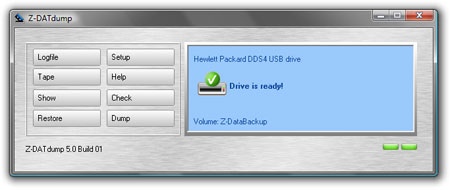
Z-DATdump can copy complete folders, automatically or with a schedule, for transport, copy, or archiving to streamer drives. That means fast and automatic data storage to:TRAVAN, VXA, DAT, MLR, SLR, DLT, QIC, LTO, Ultrium, AIT, DDS or DDS tape drives with a SCSI, IDE, or USB port. The program features an easy to use interface and can also be controlled via command-line parameters. That allows for scheduled backups using the Windows built-in Task Scheduler or our advanced task and backup scheduler Z-Cron.
Z-DATdump was developed to copy data to tape easily and reliably. The complexity of the program was deliberately kept to a minimum, which makes it easy to use for an employee as well as an administrator. Z-DATdump is a cost-effective alternative when it comes to quickly and easily copying your data to tape. The tape software is easily installed and configurable with a well-structured user interface. Up to five file lists can be defined, and it allows for quickly dumping a manually created dump-list to tape. With the integrated 1-click dump function, you can create desktop shortcuts for backup jobs, so you can quickly and comfortably start a tape backup without even opening the software. Z-DATdump lets you choose your data 1:1, incrementally or differentially for tape copy. A Fast CRC check can optionally be enabled if the stored data should be verified after the tape backup. A big advantage of the tape software is the control via command-line parameters, which allows for integration of Z-DATdump into other applications, batch files and scripts.
About Z-DATdump
This Backup & Restore program is available in English, German. It was last updated on 29 September, 2026. Z-DATdump is compatible with the following operating systems: Windows.
The company that develops Z-DATdump is IMU Hard- und Softwareservice. The latest version released by its developer is 5.3. This version was rated by 1 users of our site and has an average rating of 5.0.
The download we have available for Z-DATdump has a file size of 7.3 MB. Just click the green Download button above to start the downloading process. The program is listed on our website since 2012-04-19 and was downloaded 325 times. We have already checked if the download link is safe, however for your own protection we recommend that you scan the downloaded software with your antivirus. Your antivirus may detect the Z-DATdump as malware if the download link is broken.
How to install Z-DATdump on your Windows device:
- Click on the Download button on our website. This will start the download from the website of the developer.
- Once the Z-DATdump is downloaded click on it to start the setup process (assuming you are on a desktop computer).
- When the installation is finished you should be able to see and run the program.
Program Details
System requirements
Download information
Pricing
Version History
version 5.3
posted on 2012-04-19
Major update with some improvements and optimizations. Adjustments for Z-DBackup. Adjustments for Z-DBackup, Adjustments for Z-VSScopy, Adjustments for logfile (Restore), Adjustments for Multi-Spanning
version 2.1.0
posted on 2008-11-14
Minor Update mit einigen Verbesserungen und Optimierungen.
In der aktuellen Version wurde das Datenformat geändert. Das ermöglicht ein schnelleres Rücksichern einzelner Dateien. Voraussetzung ist, dass diese Option von der Hardware unterstützt wird. Software unterstützt jetzt Travan-Laufwerke.
